# License Error Resolution
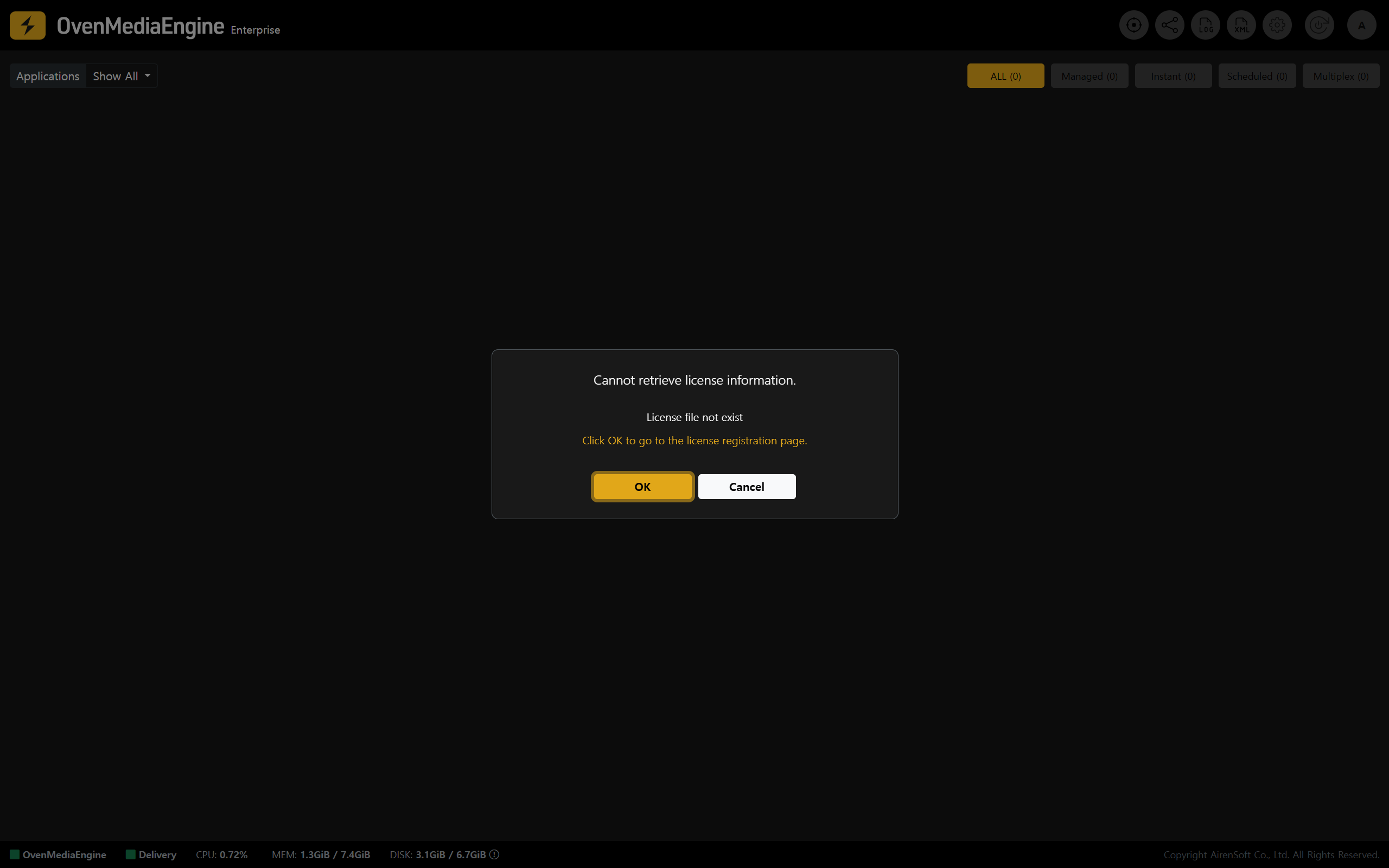
If you see a license-related alert, such as "Cannot retrieve license information" immediately after logging in to the Web Console, the license may not have been issued successfully due to a temporary **network/connectivity issue** during instance provisioning or a communication issue with the **license server**.
## Reissuing a License Key
{% stepper %}
{% step %}
### Issue a License Key
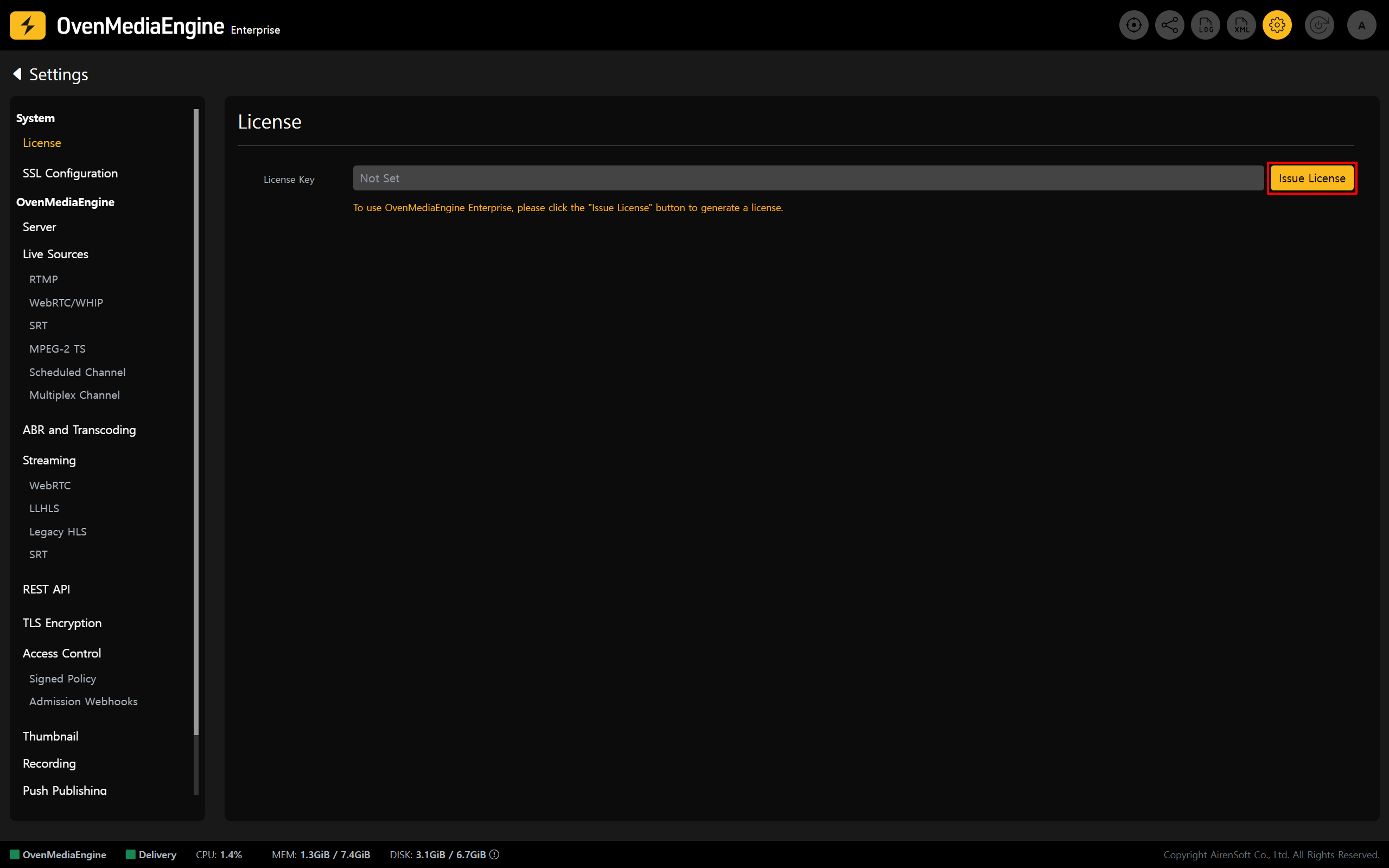
1. A **valid License Key** is required to use OvenMediaEngine Enterprise properly. Please click \[OK] in the pop-up to go to the License Settings page and reissue the License Key.
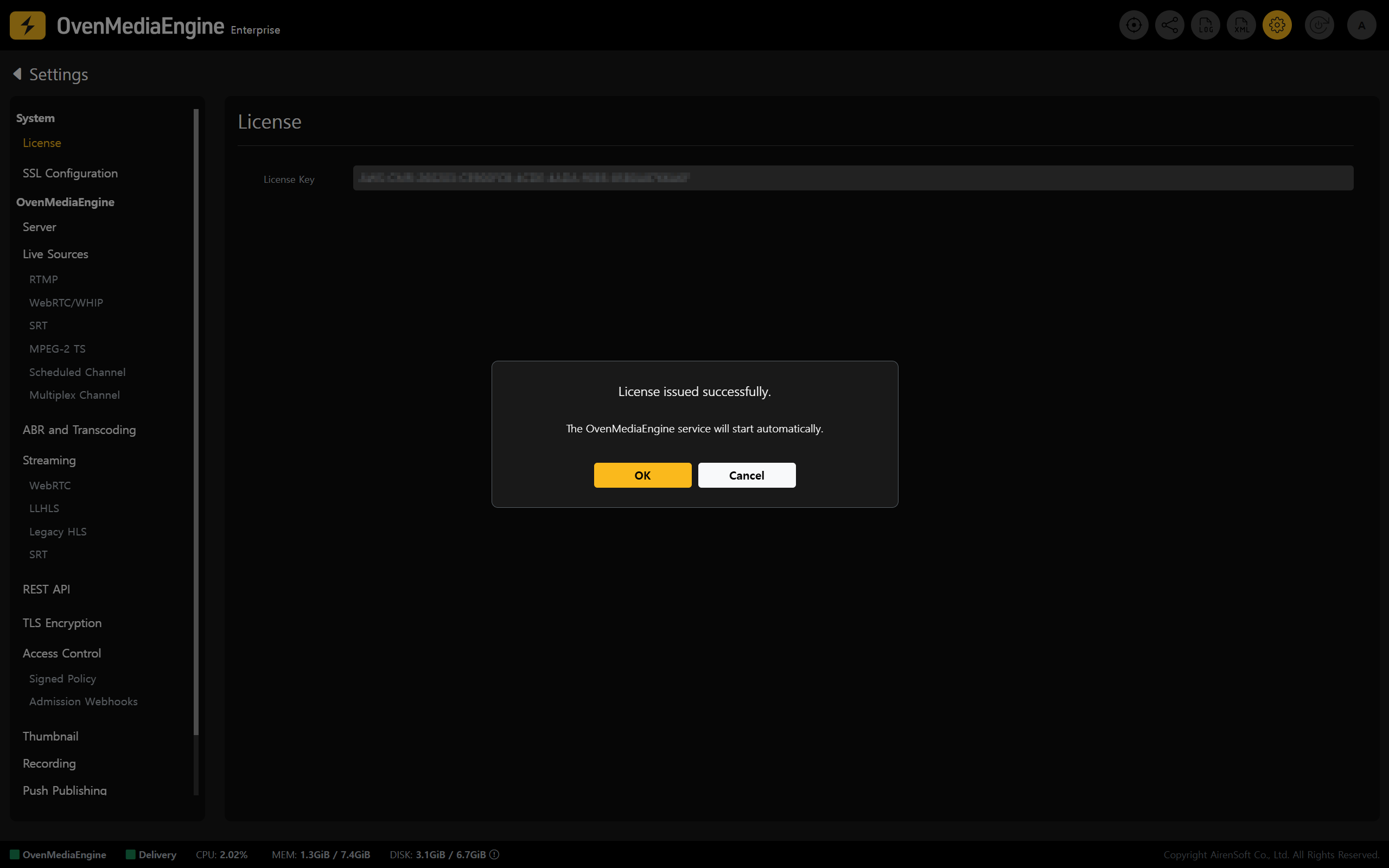
2. Click **\[Issue License]** and wait a moment. The system will automatically issue and apply a new License Key.
{% endstep %}
{% step %}
### Verify the New License Key Is Applied
3. If the license authentication alert/error message disappears, the License Key has been applied successfully. You can then use all OvenMediaEngine Enterprise features normally.
4. Run a basic streaming test by following the "[Post-Setup Verification for OvenMediaEngine Enterprise](https://ovenmediaengine-enterprise.gitbook.io/guide/exclusive/getting-started-on-aws#post-setup-verification-for-ovenmediaengine-enterprise)" procedure.
{% endstep %}
{% endstepper %}
{% hint style="warning" %}
If the issue persists, first check the instance’s outbound network connectivity (Security Group rules, route settings, NAT/IGW, etc.) and confirm that the instance can reach the license server.
{% endhint %}
---
# Agent Instructions: Querying This Documentation
If you need additional information that is not directly available in this page, you can query the documentation dynamically by asking a question.
Perform an HTTP GET request on the current page URL with the `ask` query parameter:
```
GET https://ovenmediaengine-enterprise.gitbook.io/guide/exclusive/aws-marketplace/troubleshooting-on-aws/license-error-resolution.md?ask=
```
The question should be specific, self-contained, and written in natural language.
The response will contain a direct answer to the question and relevant excerpts and sources from the documentation.
Use this mechanism when the answer is not explicitly present in the current page, you need clarification or additional context, or you want to retrieve related documentation sections.