# Automatic Log Cleanup

OvenMediaEngine Enterprise on AWS **continuously generates** **Log Files** while the service is running. If logs accumulate, Disk usage may increase excessively. To prevent this in advance, OvenMediaEngine Enterprise provides the **Automatic Log Cleanup** feature.

## Default Log Cleanup Policy <a href="#default-log-cleanup-policy" id="default-log-cleanup-policy"></a>

The default Automatic Log Cleanup policy applied to OvenMediaEngine Enterprise on AWS is as follows:

* **Retention (Days):** Logs older than <mark style="color:yellow;">90 days</mark> are automatically deleted.
* **Minimum Retention (Days):** Logs from the <mark style="color:yellow;">most recent 1 day</mark> are always retained.
* **Size Limit (MB):** If the total size exceeds <mark style="color:yellow;">1GB (1024MB)</mark>, the oldest files are deleted first to free up space.
* **Run Schedule:** Automatic Log Cleanup is enabled by default and runs automatically every day at <mark style="color:yellow;">03:00 (UTC)</mark>.

This policy applies to the following logs:

<table><thead><tr><th width="164.7777099609375">Log Type</th><th width="221.6666259765625">Directory</th><th width="199.9998779296875">File Pattern</th><th>Description</th></tr></thead><tbody><tr><td>OvenMediaEngine</td><td>/var/log/ovenmediaengine</td><td><code>ovenmediaengine.log.*</code></td><td>OME Core Engine Log (Rotated)</td></tr><tr><td>Web Console</td><td>/var/log/ovenmediaengine/ovenstudio</td><td><code>oven-studio_*.log</code></td><td>Web Console Service Log</td></tr><tr><td>OvenMediaEngine Delivery</td><td>/var/log/ovenmediaengine/ovenmediaengine-delivery</td><td><code>delivery-daemon.log.*</code></td><td>Recording Delivery System Log</td></tr><tr><td>OvenMediaEngine Monitoring</td><td>/var/log/ovenmediaengine</td><td><code>events.log.*</code></td><td>OME Monitoring Event Log</td></tr></tbody></table>

## Changing the Log Cleanup Policy <a href="#changing-the-log-cleanup-policy" id="changing-the-log-cleanup-policy"></a>

If you need to adjust the policy (such as retention period or size limit) for your environment, follow the steps below.

{% stepper %}
{% step %}

### Edit the Log Cleanup Script

<figure><img src="https://content.gitbook.com/content/xo7moYXTh3yBG01Dy49w/blobs/D4B5PXofYpWt8imkCt3Q/image.png" alt=""><figcaption></figcaption></figure>

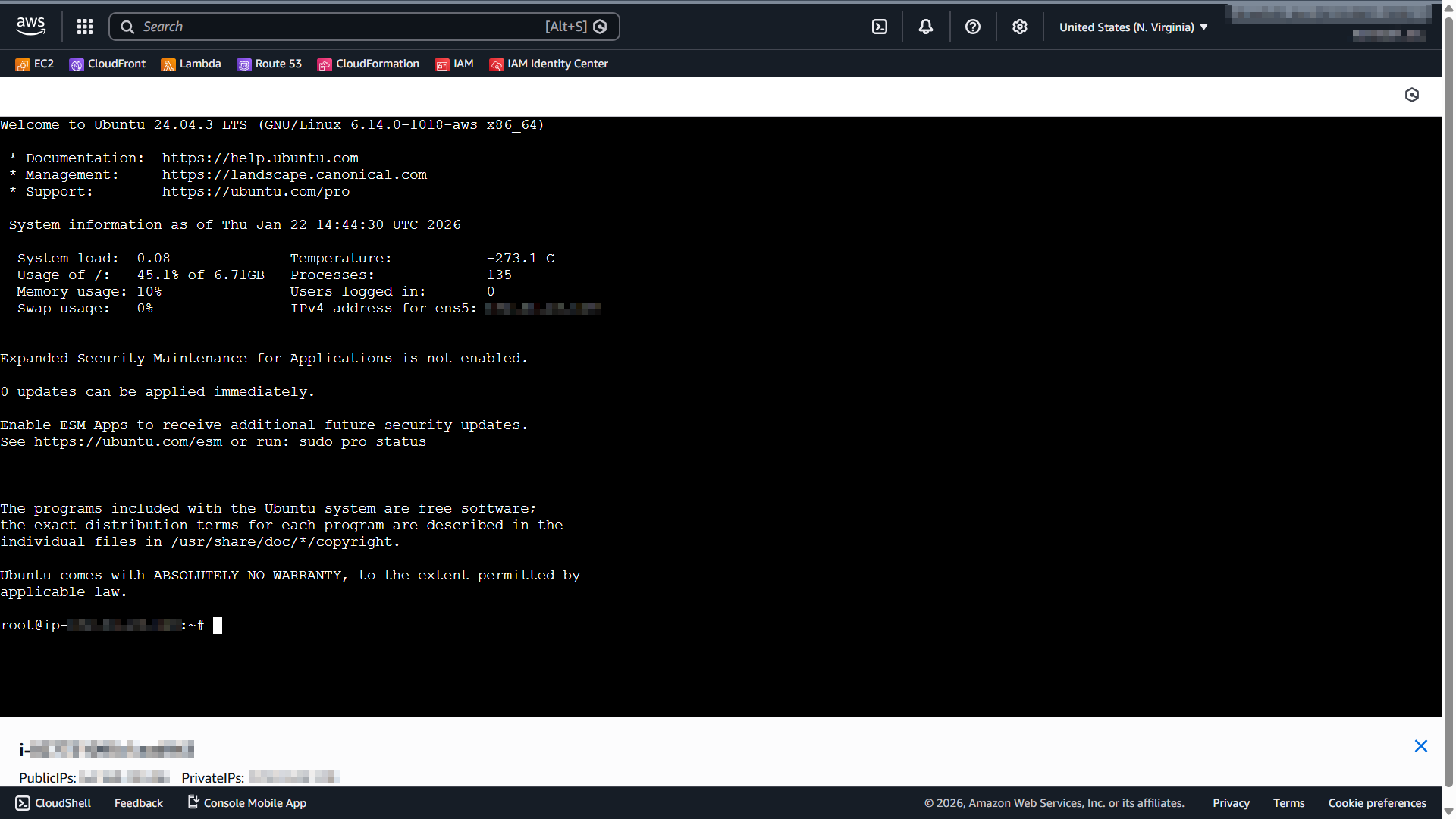
1. Connect to your instance via SSH (following the [EC2 connection official guide](https://docs.aws.amazon.com/AWSEC2/latest/UserGuide/connect.html)), then open the script with the command below:

```bash
sudo vi /opt/omee-log-cleanup.sh
```

{% endstep %}

{% step %}

### Update the Policy using Variables

2. The variables defined at the top of the script are used as the default values:

```bash
# Configuration (Adjust according to your environment)
RETENTION_DAYS=90    # Max retention period (days)
MIN_RETENTION_DAYS=1    # Min retention period (days) - Safety guard for size limit
MAX_TOTAL_SIZE_MB=1024    # Max allowed size (MB) - e.g., 1GB
```

<table><thead><tr><th width="176.2222900390625">Value</th><th width="159.5555419921875" align="center">Input Range</th><th>Description</th></tr></thead><tbody><tr><td><code>RETENTION_DAYS</code></td><td align="center"><p>0~</p><ul><li><mark style="color:yellow;">Default: 90</mark></li></ul></td><td>Sets the maximum retention period (days) for stored logs.</td></tr><tr><td><code>MIN_RETENTION_DAYS</code></td><td align="center"><p>0~</p><ul><li><mark style="color:yellow;">Default: 1</mark></li></ul></td><td><p>Sets the minimum retention period (days) for stored logs.</p><ul><li><mark style="color:yellow;">This is a safety guard to prevent files within this period from being deleted, even when the size limit is exceeded.</mark></li></ul></td></tr><tr><td><code>MAX_TOTAL_SIZE_MB</code></td><td align="center"><p>0~</p><ul><li><mark style="color:yellow;">Default: 1024</mark></li></ul></td><td>Sets the maximum allowed storage size (MB) for retained logs.</td></tr></tbody></table>

3. If you modify these variables, the new values will be applied to all `cleanup_logs` entries in the script.

```bash
# 1. OvenMediaEngine Core Logs
cleanup_logs "/var/log/ovenmediaengine" "ovenmediaengine.log.*" $RETENTION_DAYS $MIN_RETENTION_DAYS $MAX_TOTAL_SIZE_MB

# 2. OvenStudio Logs
cleanup_logs "/var/log/ovenmediaengine/ovenstudio" "oven-studio_*.log" $RETENTION_DAYS $MIN_RETENTION_DAYS $MAX_TOTAL_SIZE_MB

# 3. Delivery Daemon Logs
cleanup_logs "/var/log/ovenmediaengine/ovenmediaengine-delivery" "delivery-daemon.log.*" $RETENTION_DAYS $MIN_RETENTION_DAYS $MAX_TOTAL_SIZE_MB

# 4. Events Logs
cleanup_logs "/var/log/ovenmediaengine" "events.log.*" $RETENTION_DAYS $MIN_RETENTION_DAYS $MAX_TOTAL_SIZE_MB
```

{% endstep %}

{% step %}

### Customize Policy per Log Type (Optional) <a href="#customize-policy-per-log-type-optional" id="customize-policy-per-log-type-optional"></a>

* If you want different policies for different log files, edit the `cleanup_logs` calls near the bottom of the script.

```bash
# 1. OvenMediaEngine Core Logs
cleanup_logs "/var/log/ovenmediaengine" "ovenmediaengine.log.*" $RETENTION_DAYS $MIN_RETENTION_DAYS $MAX_TOTAL_SIZE_MB

# 2. OvenStudio Logs
cleanup_logs "/var/log/ovenmediaengine/ovenstudio" "oven-studio_*.log" $RETENTION_DAYS $MIN_RETENTION_DAYS $MAX_TOTAL_SIZE_MB

# 3. Delivery Daemon Logs
cleanup_logs "/var/log/ovenmediaengine/ovenmediaengine-delivery" "delivery-daemon.log.*" $RETENTION_DAYS $MIN_RETENTION_DAYS $MAX_TOTAL_SIZE_MB

# 4. Events Logs
cleanup_logs "/var/log/ovenmediaengine" "events.log.*" $RETENTION_DAYS $MIN_RETENTION_DAYS $MAX_TOTAL_SIZE_MB
```

#### Syntax

```bash
cleanup_logs "<log_directory>" "<file_pattern>" retention_days min_retention_days max_total_size_mb
```

#### Example

* **Main Log** (`ovenmediaengine.log.*`) is typically more important, so this example keeps logs for 7–180 days and allows up to 5GB of total storage.

```bash
cleanup_logs "/var/log/ovenmediaengine" "ovenmediaengine.log.*" 180 7 5120
```

* **Event Log** (`events.log.*`) is relatively less critical, so this example keeps logs for 1–30 days and allows up to 500MB of total storage.

```bash
cleanup_logs "/var/log/ovenmediaengine" "events.log.*" 30 1 500
```

{% endstep %}

{% step %}

### Save the Log Cleanup Script <a href="#save-the-log-cleanup-script" id="save-the-log-cleanup-script"></a>

4. After editing the script, save the file to apply the changes immediately. There is no need to restart the instance, restart OvenMediaEngine (service), or re-register the crontab.
   {% endstep %}
   {% endstepper %}


---

# Agent Instructions: Querying This Documentation

If you need additional information that is not directly available in this page, you can query the documentation dynamically by asking a question.

Perform an HTTP GET request on the current page URL with the `ask` query parameter:

```
GET https://ovenmediaengine-enterprise.gitbook.io/guide/exclusive/aws-marketplace/getting-started-on-aws/automatic-log-cleanup.md?ask=<question>
```

The question should be specific, self-contained, and written in natural language.
The response will contain a direct answer to the question and relevant excerpts and sources from the documentation.

Use this mechanism when the answer is not explicitly present in the current page, you need clarification or additional context, or you want to retrieve related documentation sections.
